> For the complete documentation index, see [llms.txt](https://docs.flip.to/llms.txt). Markdown versions of documentation pages are available by appending `.md` to page URLs; this page is available as [Markdown](https://docs.flip.to/docs/platform/discovery/planner-audiences.md).
# Planner audiences
## Level up with a highly-targeted audience
Discovery learns valuable signals about the audience of prospects considering your property, starting with when they're looking to visit.
Use this insight to amplify other marketing initiatives and provide an edge by tapping into the perfect audience for the next campaign.
## Amplify other efforts
Whether it's the latest promotion, or months ahead to increase bookings, Discovery can boost impact.
Easily identify past planners who fit an offer or need period particularly well. After that, target them directly with a **personal** message **relevant to their plans**.
### Use cases
Here's one example of a typical marketing goal, and game plan using Discovery.
> :warning: It's the beginning of March. Spring break is the first week in April, and bookings are trending behind.\
> \
> :clipboard: Segment these two audiences to prepare an outreach just for them:
>
> 1. Planners who showed interest in the booking window eligible for the Spring Break offer, and who haven't booked yet. (Typically those who started planning 30+ days ago.)
> 2. Planners whose booking dates just recently passed, and warm them up with this new offer—acknowledging they’d recently been looking to stay.
### Find your audience and get started
Easily pull and segment audiences in clicks.
{% stepper %}
{% step %}
**Navigate to Platform → Reports**
Select the appropriate date range to find recent planners.
{% endstep %}
{% step %}
**Scroll to Planners revealed by Discovery**
Download a list of planners whose plan is more than 10 days old.
{% endstep %}
{% step %}
**Segment your audience**
Filter and segment your list by matching a planner's **interested arrival date** with the **eligible booking window**. :handshake:
Craft and share a outreach around these planners' interests.
{% endstep %}
{% endstepper %}
## An important note about content
Potential travelers respond to messages that are **wanted** and **expected**.
Speak to audience segments about their specific plans. This approach to better marketing nets better results, winning over more travelers considering a stay.
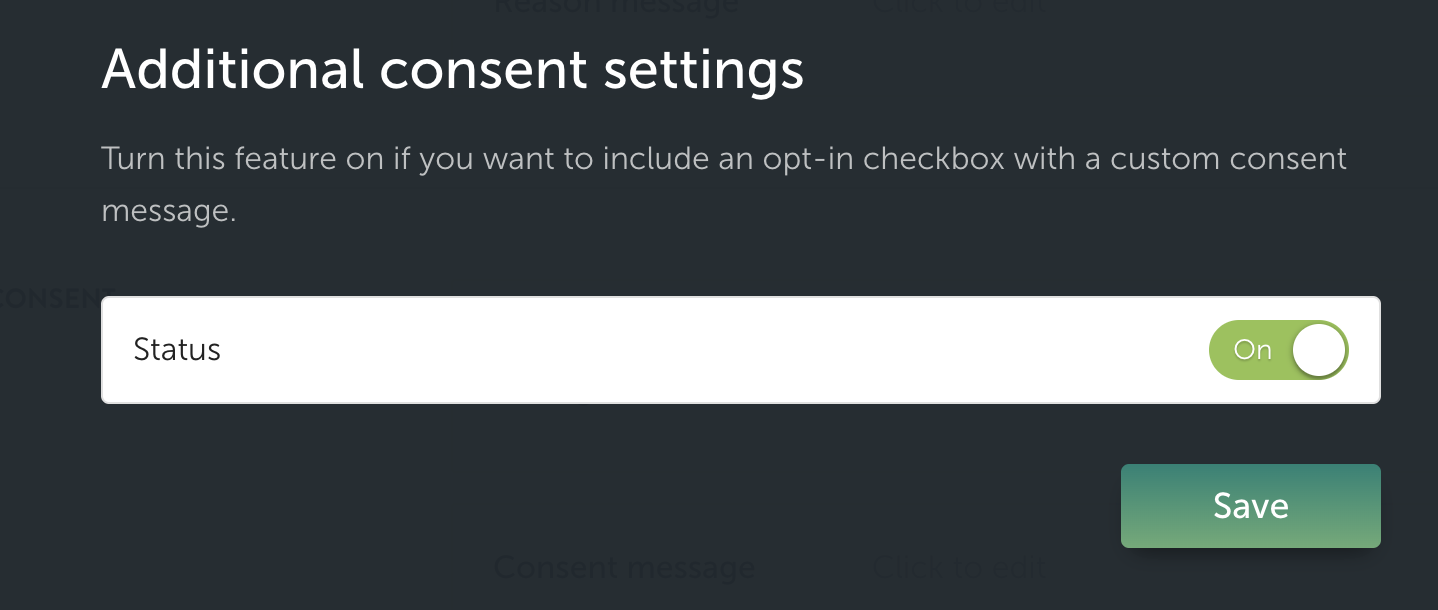
## Additional consent settings
Discovery can be configured to ask for additional consent at the moment a planner is submitting their name and email address.
{% hint style="info" %}
When configuring an additional consent, keep in mind that it may impact submission rates and overall conversion.\
\
Plus, it's recommended that site visitors have a specific and meaningful understanding of the opt-in for an additional consent, including why it's required and the value for the planner.
{% endhint %}
Once switched on, a planner is presented with an opt-in checkbox that supports custom messaging and tracking tags. Any consent given is tracked to the context of each planner and is available in our reports and API.
---
# Agent Instructions
This documentation is published with GitBook. GitBook is the documentation platform designed so that both humans and AI agents can read, navigate, and reason over technical content effectively. Learn more at gitbook.com.
## Querying This Documentation
If you need additional information that is not directly available in this page, you can query the documentation by asking a question.
Perform an HTTP GET request on the following URL with the `ask` and `goal` query parameters:
```
GET https://docs.flip.to/docs/platform/discovery/planner-audiences.md?ask=&goal=
```
`ask` is the immediate question: it should be specific, self-contained, and written in natural language.
`goal` is what the user is ultimately trying to achieve, the reason they need the answer. Sharing it helps GitBook give you a better, more relevant answer. A goal is most helpful when it describes the outcome the user wants rather than restating the question. For example, with `ask=how do I create an API token`, a goal like `automate deployments from our CI pipeline` lets GitBook tailor the answer to that use case.
The response will contain a direct answer to the question and relevant excerpts and sources from the documentation.
Use this mechanism when the answer is not explicitly present in the current page, you need clarification or additional context, or you want to retrieve related documentation sections.