> For the complete documentation index, see [llms.txt](https://docs.flip.to/llms.txt). Markdown versions of documentation pages are available by appending `.md` to page URLs; this page is available as [Markdown](https://docs.flip.to/docs/platform/spacetime/goals.md).
# Goals
Goals set up teams, agencies and partners for success. Work together toward wins for heightened profitability, while getting a better understanding of what's contributing to growth.
{% hint style="info" %}
**Before you begin:** New to setting goals? Set an achievable win.
If previous monthly site performance is known, start here and set a stretch goal. Or, take the total need based on occupancy, less any expected bookings from [sources outside of the direct channel](#user-content-fn-1)[^1].
Keep in mind that goals are about progress over perfection, and **can be dialed at any time**.
{% endhint %}
### Set up your goals
Choose a property, and then navigate to the **Goals** tab. Pick the month to start with:
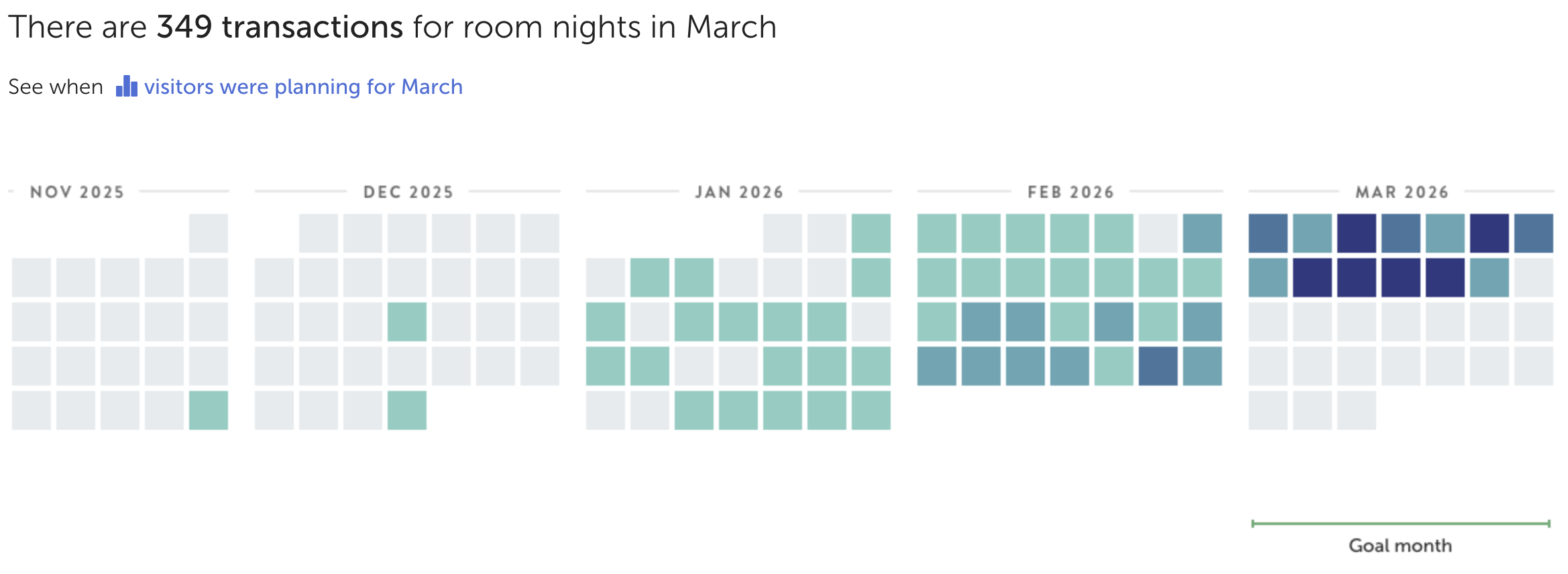
The calendar heat map gives you a sense of where you are today. Enter the number of room nights and the the revenue goal you’ve set as your target:
After you've saved your goals, you’ll see how close you are to achieving your target:
{% hint style="info" %}
**Why set both?** The relationship between room nights and revenue tells a bigger story: profitability.\
\
When getting set up, if starting with one metric, we recommend a simple estimate of the second. Your Customer Success Manager is standing by to help at any point.
{% endhint %}
### Goals also work the way groups do
Managing a region, or an entire portfolio? We've made that just as snappy. Start with one clear read that sets the pace. Then use our batch editor to see, set or adjust goals from one place:
### Dial in your goals at any time
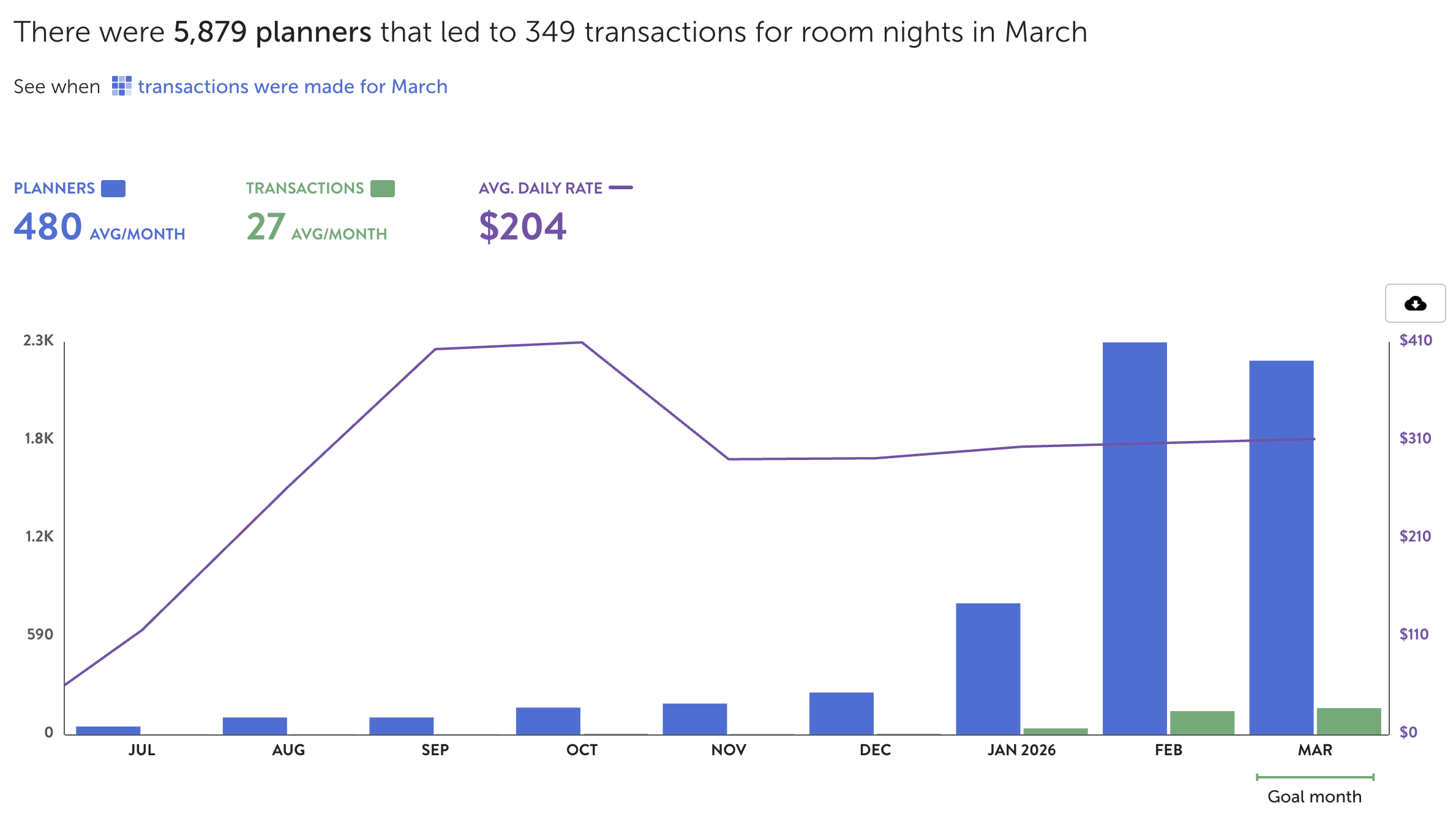
Check back often to see how performance is stacking up and adjust as often as needed. Choose any month to see demand periods, planner opportunity, what’s contributing towards your goals:
Plus, understand the channels that are making the biggest impact:
### Travel marketing is a team sport
Once you’ve started getting goals set up, get more players on the field. Let your Customer Success Manager know any new team members, agencies, or partners who’d benefit from the platform.
{% hint style="info" %}
**Want benchmarks from day one?** Share historical transactions and Spacetime will measure performance against goal from your first month — no waiting for new bookings to accumulate. See [Historical transactions import](/docs/platform/spacetime/goals/historical-transactions-import.md) for the field spec.
{% endhint %}
[^1]: Examples include bookings from call centers, corporate and groups, online travel agencies, and more.
---
# Agent Instructions
This documentation is published with GitBook. GitBook is the documentation platform designed so that both humans and AI agents can read, navigate, and reason over technical content effectively. Learn more at gitbook.com.
## Querying This Documentation
If you need additional information that is not directly available in this page, you can query the documentation by asking a question.
Perform an HTTP GET request on the following URL with the `ask` and `goal` query parameters:
```
GET https://docs.flip.to/docs/platform/spacetime/goals.md?ask=&goal=
```
`ask` is the immediate question: it should be specific, self-contained, and written in natural language.
`goal` is what the user is ultimately trying to achieve, the reason they need the answer. Sharing it helps GitBook give you a better, more relevant answer. A goal is most helpful when it describes the outcome the user wants rather than restating the question. For example, with `ask=how do I create an API token`, a goal like `automate deployments from our CI pipeline` lets GitBook tailor the answer to that use case.
The response will contain a direct answer to the question and relevant excerpts and sources from the documentation.
Use this mechanism when the answer is not explicitly present in the current page, you need clarification or additional context, or you want to retrieve related documentation sections.